When you click on a XPI file (install button in Firefox addon page for an extension) to install to install a Firefox extension, you would see a counter counting down from 3 to 0 before letting you to install. This is one of the most annoying settings in Firefox that I have ever come across.
This was delibrately done to avoid known security issues explained in detail here.
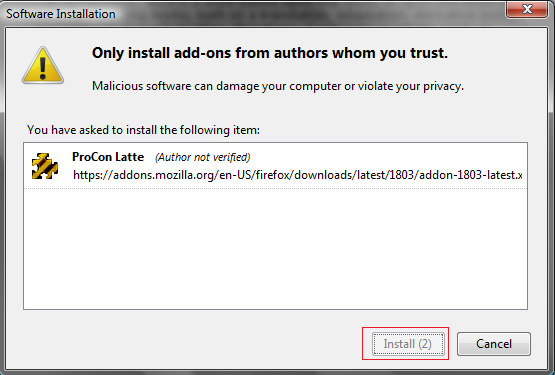
However, if you want to disable this countdown and directly get to install the addon, try the following:
1. Open a firefox browser window and type “about:config” in the address bar.
2. Click “I’ll be careful, I promise” button.
3. In the Filter search box, enter “security.dialog_enable_delay“. You can see this set to 2000 milliseconds.
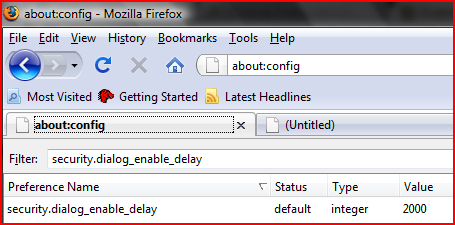
4. Double-click this entry and change it to “0”. This should disable the delay counter.

yet another tricks for FF 😉
very usefull
http://maketecheasier.com/28-coolest-firefox-aboutconfig-tricks/2008/08/21