Capivara is a two pane file manager with remote synchronization support using SFTP and FTP. Capivara synchronization adds features like comparing timestamps or SHA-1 hash values and has a preview mode to shos which files are going to be deleted or copied. Because Capivara is Java based and all it requries is a Java Runtime Environment (JRE) it can run on multiple platforms like Linux, Solaris, Unix, Solaris, Mac OSX and windows.
Features include,
File synchronization with SFTP & FTP support
Preview mode for synchronization
Supports POSIX file permissions on Linux
Include/Exclude lists in File Synchronization using File Filters (regex)
Hotkeys Support
Install Capivara in openSUSE
Click this  hosted by packman to install Capivara on openSUSE 11.1/11.0/10.3.
This should download the YMP file and automatically launch the YaST package manager to add the required Repositories, download and install Capivara and the dependencies. Click next on the Capivara installation screen and Next again on the installation proposal window. This should start adding the required repositories, download and install Capivara and its required dependencies. Click Finish when the installation completes successfully.
This should install Capivara under “Applications – System – File Manager”. Click Capivara to launch for the first time and select the language (default UK English).


The default settings can be customised/edited from “Tools – Options”

As you can see there are two panels where you can have to directories from the same system or from local and remote locations which can be connected through sftp or ftp and choose the directories to sync.

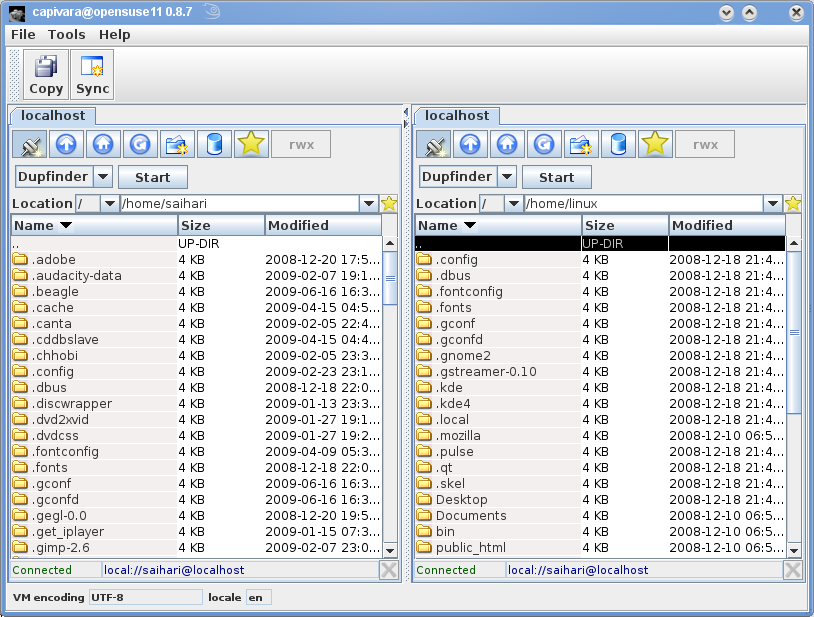
You can preview the synchronization to check on the versions before overwriting the files.
Click here to visit the project home.