Fix BCM4311/4312/4321/4322 Wireless in openSUSE 11.1 and earlier
Posted by admin on December 20th, 2008
While this procedure is written for openSUSE 11.1, it should just work fine for openSUSE 11.0, openSUSE 10.3 as well as the 1-click install supports these versions.
Check the install Wireless module to confirm it is one of the above listed Broadcom Wireless devices.
openSUSE11_1:~ # lspci|grep -i broad
0b:00.0 Network controller: Broadcom Corporation BCM4312 802.11b/g (rev 01)
Click this
to download and automatically start YaST Package manager. Click Next on the installation Welcome screen and click “Customize” on the screen showing the Repository and the packages selected to install. Click Next on the repository selection and screen.
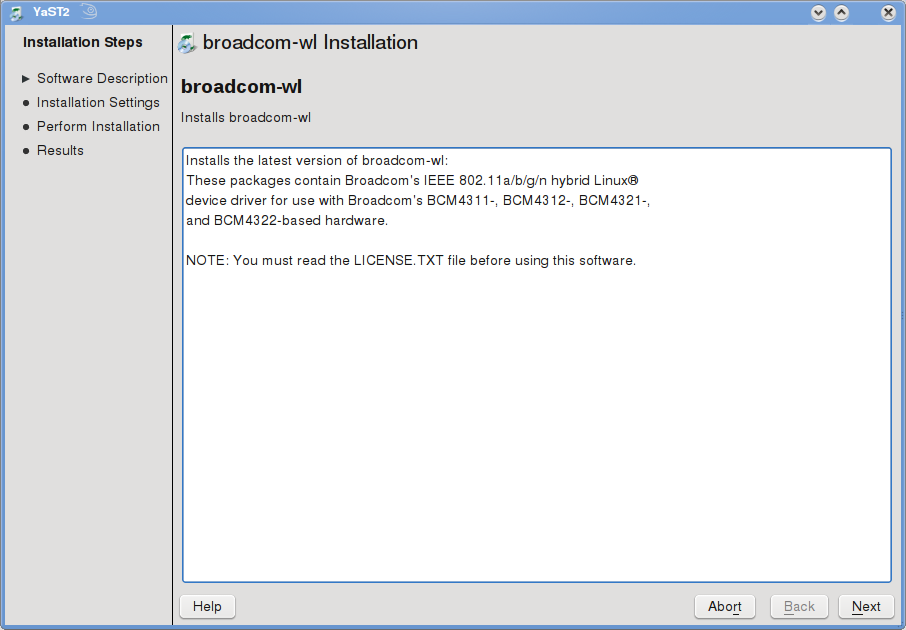
And finally, in the screen showing the list of packages selected to install, untick the drivers for custom Kernels like Kernel-pae, Kernel-trace & Kernel-xen (unless you use any of these Kernel versions than the default one).
This means you will untick the following:
Broadcom-wl-kmp-pae
Broadcom-wl-kmp-trace
Broadcom-wl-kmp-xen
and finally, click Next on the proposal screen. This will start adding the packman repository and download and install the required driver packages and required dependencies. Click Finish when the drivers have successfully installed on your openSUSE.

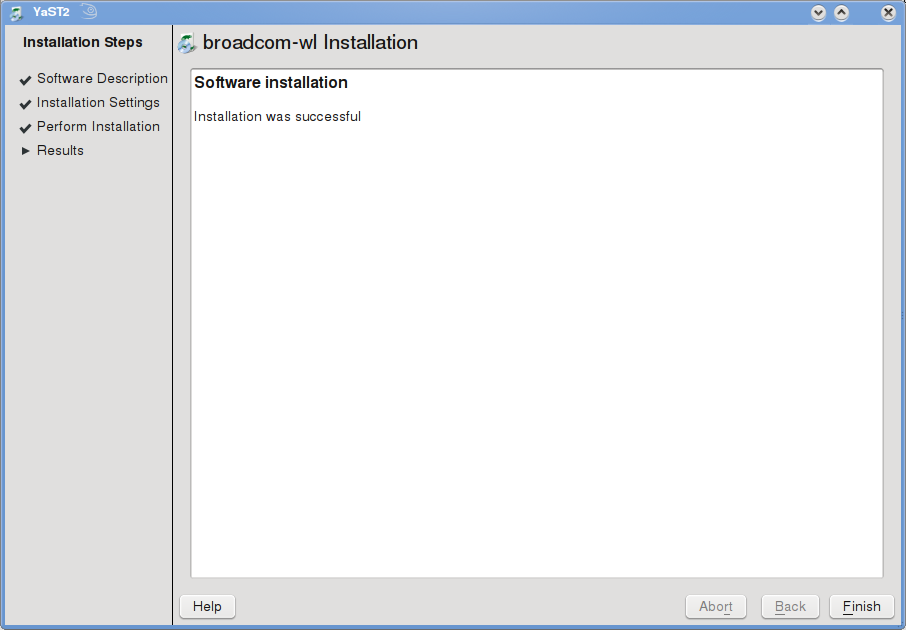
Now, insert the installed wireless module
openSUSE11_1:~ # modprobe wl
Now, confirm the Kernel module is loaded on your openSUSE
openSUSE11_1:~ # lsmod | grep wl
wl 1080320 0
ieee80211_crypt 6476 2 ieee80211_crypt_tkip,wl
Confirm with the iwconfig command:
openSUSE11_1:~ # iwconfig
lo no wireless extensions.eth0 no wireless extensions.
pan0 no wireless extensions.
eth1 IEEE 802.11bg ESSID:”"
Mode:Managed Frequency:2.412 GHz Access Point: Not-Associated
Bit Rate:54 Mb/s Tx-Power:32 dBm
Retry min limit:7 RTS thr:off Fragment thr:off
Power Managementmode:All packets received
Link Quality=5/5 Signal level=0 dBm Noise level=0 dBm
Rx invalid nwid:0 Rx invalid crypt:0 Rx invalid frag:0
Tx excessive retries:0 Invalid misc:0 Missed beacon:0
You are now ready to go, you should already see your KNetworkManager adjusting itself to insert the wireless (eth1 in my laptop) into its list of active devices.
From KnetworkManager, click “New Connection” and select your wireless device (eth1) in my laptop, select your Wireless Network from the list of scanned networks (or manually enter the details if your Wireless network doesn’t broadcast), click next and enter your Encryption details and click Connect & Save. You should now be up and running with your Wireless.

openSUSE11_1:~ # iwconfig
lo no wireless extensions.eth0 no wireless extensions.
eth1 IEEE 802.11bg ESSID:”SKY12345″
Mode:Managed Frequency:2.437 GHz Access Point: 00:11:42:F3:AA:6E
Bit Rate=54 Mb/s Tx-Power:32 dBm
Retry min limit:7 RTS thr:off Fragment thr:off
Power Managementmode:All packets received
Link Quality=5/5 Signal level=-29 dBm Noise level=-89 dBm
Rx invalid nwid:0 Rx invalid crypt:14 Rx invalid frag:0
Tx excessive retries:0 Invalid misc:0 Missed beacon:0
pan0 no wireless extensions.


December 20th, 2008 at 4:26 pm
Emm..would like to thank you for this article! You saved my day!
December 21st, 2008 at 1:31 pm
worked like a charm.. thank you so much.. saved me a lot of trouble
December 21st, 2008 at 10:11 pm
when i modprobe wl i get this message after doing all the above correctly
FATAL: Error inserting wl (/lib/modules/2.6.27.7-9-default/weak-updates/updates/wl.ko): Invalid module format
December 22nd, 2008 at 1:11 am
Did you ensure that you unticked those drivers for the custom kernels (pae, xen etc). Was there any dependency errors during install? what is your platform (opensuse 11.1, x86 or x86_64??)
December 22nd, 2008 at 3:34 am
[...] link for OpenSuSe Users. More Info Thanks rbkumaran Possibly related posts: (automatically generated)Linux on Dell Inspiron 1318.2010: [...]
December 22nd, 2008 at 6:39 am
[...] Wireless not working You may try this Fix BCM4311/4312/4321/4322 Wireless in openSUSE 11.1 and earlier | SUSE & openSUSE It uses the 1-click installer for the drivers (linux) from Broadcom. as pointed out by Larry, it [...]
December 22nd, 2008 at 10:39 am
Hi
1) openSUSE 11.1 x86_64, conflict while installed (sorry, on russian):
#### YaST2 conflicts list – generated 2008-12-22 20:31:59 ####
ничто не предоставляет kernel(debug:arch_x86_kernel) = 9e1e0d2501d87640, необходимый для broadcom-wl-kmp-debug-5.10.27.11_2.6.27.7_9.1-5.pm.1.x86_64
[x] не устанавливать broadcom-wl-kmp-debug-5.10.27.11_2.6.27.7_9.1-5.pm.1.x86_64
#### YaST2 conflicts list END ###
e.g. “broadcom-wl-kmp-debug-5.10.27.11_2.6.27.7_9.1-5.pm.1.x86_64″ not instaled ?
2)modprobe wl:
FATAL: Error inserting wl (/lib/modules/2.6.27.7-9-default/weak-updates/updates/wl.ko): Invalid module format
Wifi don’t work…
December 22nd, 2008 at 1:03 pm
Go thro the process and this time, additionally, untick the “wl” driver for DEBUG as well. Seems there is a conflict on it and that should help.
December 23rd, 2008 at 3:30 am
Hi guys
I’ve found this guide and i would like to ask one question:
I’ve a Ferrari 4005 Wlmi with a broadcom wireless card.
Since opensuse 10.3 I’ve always used windows drivers with ndiswrapper because linux drivers didn’t work for me.
With opensuse 11.1 I’ve tried “install_bcm43xx_firmware” command first (before trying the ndiswrapper workaround) and everything went ok at the first try, so I am using the wireless card with linux drivers without ndiswrapper.
Now I’ve read here that broadcom released official linux drivers and I would like to know whether it is better for me to switch to the official drivers or to keep up with the current configuration. Is there any particular benefit using the official drivers?
Thanks
December 23rd, 2008 at 5:11 am
It is always better to run the native drivers and ndiswrapper is basically a helper to get a windows driver work on a linux system. Also, performance seems to be a significant difference between running a ndiswrapper driver and a native driver (as I’ve seen on forums)
December 23rd, 2008 at 7:29 am
ok but my question was a bit different. Sorry for not being clear enough.
I am not using ndiswrapper on my 11.1 installation and I do not want to use ndiswrapper anymore. I want to use native drivers.
What I want to know is:
is it better to use the “install_bcm43xx_firmware” method or to follow the steps described in the above guide?
(or is it exactly the same?)
thanks
December 27th, 2008 at 2:59 am
Hi… I also get the “Error inserting wl (/lib/modules/2.6.27.7-9-default/weak-updates/updates/wl.ko): Invalid module format” ERROR.
I had it working successfully (from this same webpage) on opensuse 10.3. I remember I left all boxes checked that time. I have since installed 11.1, and for whatever reason… it doesn’t seem to install.
I know the following are possible reasons, but I don’t know linux well enough to troubleshoot.
- Under 11.1, Prior to attempting installation as root, I tried to install this ymp as a normal user.
- I also tried to install the driver using this method: “http://www.susegeek.com/opensuse-110/how-to-install-broadcom-wireless-in-opensuse-110/” … I forget if I was root or not but it didn’t work.
Any ideas??
Thankyou.
December 28th, 2008 at 11:01 pm
Ok, for those of you with the “Error inserting wl (/lib/modules/blah/blah/blah/wl.ko): Invalid module format” ERROR, it turns out that the fix for me was just to install everything (check all boxes).
I don’t know why this fixes it, but oh well.
,
Adam.
December 29th, 2008 at 1:03 pm
Ok is get the same error when i tried this. As admin says, i unchecked the wl driver as well
FATAL: Error inserting wl (/lib/modules/2.6.27.7-9-default/weak-updates/updates/wl.ko): Invalid module format
Couple of things i tried:
Yast freezes up when i check everything.
It says dependencies when i check some more…. (just a hit or a miss effort, no reason). Any help?
Thanks
January 1st, 2009 at 11:32 am
where is it the command line is supposed to be installed? is it the root terminal? if so it didn’t work.
openSUSE11_1:~ # modprobe wl
Thanks
January 1st, 2009 at 6:47 pm
FATAL: Error inserting wl (/lib/modules/2.6.27.7-9-default/weak-updates/updates/wl.ko): Invalid module format
January 1st, 2009 at 6:51 pm
anyone follow up on this?
January 2nd, 2009 at 2:04 am
I get the same error message as well with openSUSE 11.1 (i586).
Does one have to remove ndiswrapper before installing this driver ?
January 3rd, 2009 at 6:35 am
I wrote before that it worked when I checked all boxes, which it did, but since then I’ve had to reinstall suse ( 11.1 ) again and this time it didn’t work and gave the same error (error inserting …./wl.ko)… so it seems inconsistent and I still don’t know the solution.
January 5th, 2009 at 3:40 pm
@bitrate: Yes you have to remove all your ndiswrapper configs.
January 5th, 2009 at 3:44 pm
adam: can you post any errors while installing?? Also, there is a newer version of the driver is available. Use the same URL. Delete your old YMP file and download again and check if it helps!
January 5th, 2009 at 5:58 pm
I updated to the newer Broadcom drivers on Packman and removed ndiswrapper. Everything works great now.
“modprobe wl” produces no error although Network Manager is still a bit fussy.
January 8th, 2009 at 1:25 pm
hey all,
I’m trying to get my wireless to work on my ASUS F5R with BCM4311 but when i install just broadcom wl i get: “FATAL: Module wl not found” When i install ‘broadcom-wl-kmp-default’ too i get: “FATAL: Error inserting wl (/lib/modules/2.6.27.7-9-pae/weak-updates/updates/wl.k)” and when i try to install ‘broadcom-wl-kmp-xenpae’ too, I thought maybe that would help because of the pae part in the notification, i get “xenpae → installation partially succesful” and after modprobe i get: “FATAL: Error inserting wl (/lib/modules/2.6.27.7-9-pae/weak-updates/updates/wl.ko): Invalid module format” I tryed all this on a completely clean install. Can anybody help? I’m just a beginner in linux so don’t know how to troubleshoot this (I’ll try google though)
January 9th, 2009 at 11:26 pm
Thanks a lot for this tutorial. Could you please guide how to share a internet connection through wireless in Suse?
January 11th, 2009 at 2:10 pm
Um, there may be a bug, or something that’s changed.
* The YPM script above *installed the pae kernel on me*. I had selected only “brodacom-wl” and “broadcom-default.”
* I’m unclear. I suspect that at least some of the 43xx devices need the “firmware” installed to function, which won’t be there on a clean install.
Today, about two hours ago (11:00 pacific time on the 11th) I followed the instructions above.
* The package list shown via YPM was different from above.
* I selected only the broadcom-wl and broadcom-default packages
* Running the install **downloaded and installed the pae kernel & supporting packages** (I noticed this well into the final “installing” window and let it proceed. I’m reluctant to abort something that’s mucking with Kernels.)
* Inspection via YAST -> Software Managment -> search “kernel” shows that I now have kernel-pae, kernel-pae-base, kernel-pae-extra
* I now have two “pae” options in GRUB, (the other is “failsafe”) with the standard “pae” selected as default. (Pae and standard kernel both boot successfully into KDE).
* I *also* have the same problem & error message reported above when executing “modprobe wl”
Reading elsewhere, it seems to me that (some?) of the broadcom adapters need the “firmware” installed to run. In any event, installing the firmware package (from linuxwireless.org) now gets me positive LED (in the standard Kernel).
System is a clean (format the partitions) install of OpenSuSE 11.1 done about 10 days ago, with default Kernel (On my own, I don’t mess with alternative kernels.) KDE, NVIDIA driver and all security patches.
January 12th, 2009 at 2:08 pm
For me it worked and now I am back from Ubuntu, Fedora again to Opensuse.
January 19th, 2009 at 3:55 am
Can anyone get monitor mode working with these drivers ?
January 21st, 2009 at 12:09 pm
I got the same error
FATAL: Error inserting wl (/lib/modules/whatever/wl.ko): Invalid module format
But then I checked my kernel (searched for kernel in the software management app) and saw that I didn’t have default kernel but the pae kernel. So I should have selected the pae module instead of the default module.
I installed the pae module and it worked.I selected only:
broadcom-wl and broadcom-wl-kmp-pae
January 29th, 2009 at 11:13 am
Ok, so I have the pae kernel, too.
Only why do I not have the pae module in the installer? I see only broadcom-wl and broadcom-wl-debug.
Help?
February 4th, 2009 at 7:33 am
Go to the software installer page from yast and search for broadcom. You should be able to see all sortd of kernel modules.
February 6th, 2009 at 12:43 pm
Thanks a lot, it works 100 %
hp pavilion entertainment PC, dv2500
February 11th, 2009 at 10:42 am
I have a Dell 1525 and loaded 64-bit Suse. I then came to this page to get the driver for the 4312 card and did the one-click load.
The screens I am presented with are not the same as above. The installer does say that the driver is loaded but when I enter modprobe wl I get a fatal error saying the module does not exist. iwconfig shows nothing. I got a bunch of packages downloaded because the screens are different and I did not have a chance to change them.
Now what? No wireless…
tm
February 22nd, 2009 at 5:13 am
Thanks, it worked for me on a second try. Beware to remove the b43-fwcutter and have installed only the following: (i) broadcom-wl, (ii) broadcom-wl-kmp-default, and (iii) broadcom-wl-kmp-debug. One more thing, for those who doesn’t know: ~# in the command line means ‘root’. Cheers!
February 23rd, 2009 at 3:26 am
Thankyou so much!!!
The guide on OpenSuse just missed out the loading of the module into the kernel.
Cheers
February 26th, 2009 at 1:20 pm
didn’t work as I expected, but it does what i need. Thanks for the autoinstaller.
February 27th, 2009 at 8:54 am
btw .
Systematical system rebooting can lead to the desired result.
February 28th, 2009 at 9:42 am
Well, after the Kernel update this week (from SUSE via Auto Update) my Broadcom on-board wifi started working.
Feeling brave, I went into YAST & removed the PAE Kernel and a couple other PAE modules that had been installed. Wireless is operating clean, now, and the PAE removal also touched up GRUB – bonus.
Thanks for the script. If I the time works out, I’ll play around with the install on my experimental partition to maybe understand what happened the first time.
March 29th, 2009 at 5:24 pm
Thank you for the info. Works great on HP dv4t, C2D T5800, 2Gb RAM, Broadcom BCM4312, openSUSE 11.1, 32-bit, kern 2.6.27.19-3.2-default
March 31st, 2009 at 7:58 pm
thanks for this post… life saver!
April 25th, 2009 at 10:06 pm
When entering “modprobe wl” I got “FATAL: Module wl not found”. This was fixed by installing broadcom-wl-kmp-trace. I also removed broadcom-wl-kmp-debug, broadcom-wl-kmp-default and b43-fwcutter. Thanks for the article.
May 1st, 2009 at 6:10 pm
i loose my network in panels, what should i do?
coz if i turn my wireless i cant manage its
thanks before
May 4th, 2009 at 9:08 am
Had similar problem, but found that the driver for my wireless pci ( Belkin F5D7001) only has driver for 32 bit. I have 64 bit set up, so it looks like Im off to the store for a new card. Anyone got any tips for the new card?
June 25th, 2009 at 9:12 am
I would recommend to check your kernel type and version first:
SuSE:~# uname -a
I had to retry an select PAE package. It worked fine. Thanks for this guide! you just helped a newbie.
July 16th, 2009 at 12:06 pm
Thanks. This post has been a lifesaver. However, I still have one problem. The wireless connection can be setup after running modprobe and I can successfully connect. However, when I restart the machine, then network doesn’t work and I have to do modprobe again and rebuild the wireless settings. Any clues as to how I can get it to remember the settings.
July 16th, 2009 at 1:08 pm
Follow-up…it is now working on restart. Not sure how it got fixed but happy anyway. Just for reference, my system is an HP dv6406nr notebook running Vista and Suse 11.1. Has BCM4311 wireless device. It only works with the pae kernel.
July 16th, 2009 at 4:29 pm
It should work with the non-PAE kernel as well.
I also put the command modprobe wl in my /etc/init.d/boot.local file. This ensures my wireless card is detected on startup.
July 23rd, 2009 at 11:12 am
Thanks my friend…
August 5th, 2009 at 2:55 pm
I’ve just installed openSUSE 11.1 http://opensuse.ca.unixheads.org/distribution/11.1/iso/openSUSE-11.1-KDE4-LiveCD-x86_64.iso for my hp pavilion AMD 64 Athlon with Broadcom 43xxx modem.
my bash shell has never heard of iwconfig, ipconfig, or ifconfig. It’s also never heard of ‘make’ or ‘modprobe’. What is going on here? None of the solutions on the web are doing a thing for this laptop.
August 5th, 2009 at 4:15 pm
Hi Rocky,
Well, those commands are available from root, but not (by default) from a user account. So you’ll need a root shell to run them in.
OTOH, those commands are used mostly for diagnostics. I’d try the one-click install on this web page first. With that done, fire up network manager. You should see networks being found after a short time. I tend to turn on notifications for “New Wireless Network Found” and “Network Disabled” when I’m diagnosing things. If I know there are networks around and there’s nothing being found, something’s missing.
If you don’t see wireless activity after installing with the one-click above and rebooting, you probably need the Broadcom firmware / driver. That goes in pretty clean as a package install. I don’t recall the step by step at the moment.
Hope this helps.
August 20th, 2009 at 5:36 am
This is a life saver. Just an FYI though. I see in the pick where your SSID should be you have crossed out. You may want to do the same for when you type “iwconfig” after connecting to the network. I wouldn’t know why you would, but just to stay consistent lol.
August 23rd, 2009 at 11:14 am
Man, thank you very much. Worked like a charm.
September 30th, 2009 at 10:47 am
Works perfect on my HP Compaq 6715s.
Thanks!!!
October 4th, 2009 at 6:18 pm
thanks, for the article. helped avoid manual configuration of drivers so many times.
Brodcom, i wish you GPL your code.
Dell I hope you switch to intel chipsets for your n series (linux based) laptops.
April 17th, 2010 at 11:02 am
ABSOLUTLEY DO NOT INSTALL ON A HP 6735B LAPTOP WITH SUSE 11.2!!!!!
If you have anything of value you might end up losing it unless you know what your are doing. It killed all my binarys so I could boot or access anything. I thought it was something else I did until the second time I tried to install. I really havent had time to look into it to see exactly what happens but since the computer was a fresh install i didnt care. I guess I will have to load up the driver manually. But none the less people just dropping by and going to install this driver on 11.2 and same laptop I have should have a good knowledge of linux before allowing it to install or you just might lose everything….
Just my .02 for what its worth.
Older schooler gone rouge…
Bonzai
September 4th, 2010 at 7:05 pm
ONE-CLICK INSTALL ha ha ha
October 6th, 2010 at 9:58 am
Please Help!!!
I installed Open Suse 11.3 on a Dell Inspiron 1705.
I’ve tried everything to get the wireless working… and for a moment it did. But It seems that it got confused somehow. It doesn’t recognize the wireless interface. It gives me two eth connections.
It does takes the IP from the AP but still can’t surf through internet.
Do you know how can I change the names of the interfaces?
I was doing it first through NetworkManager but switched to Ifup, and that’s when it changed.
Thanks