rpmorphan is a free opensource utility to find orphaned packages on your openSUSE installation. rpmorphan determines which packages on the system has no other package(s) depending on their installation, and lists these packages. rpmorphan intends to be a clon to the deborphan utility for Debian Linux. rpmorphan has a simple GUI interface to list the orphaned packages and to show the details of the packages and to delete them if you choose to. rpmorphan can also run from commandline as a normal user.
Command line utilities include
/usr/bin/rpmorphan – Find orphaned RPM packages
/usr/bin/rpmusage – Displays RPM packages last usage
/usr/bin/rpmdep – Displays full dependency of an installed package
/usr/bin/rpmduplicates – Duplicate installations with different versions
Install rpmorphan
To install Sockso, click this 1-click installer from Packman supported on openSUSE 11.1/11.0/10.3/10.2

This should download the YMP file and automatically launch the YaST package manager to add the required Repositories and download and install rpmorphan and the dependencies. Click next on the rpmorphan installation screen and Next again on the installation proposal window. This should start adding the required repositories, download and install rpmorphan and its required dependencies. Click Finish when the installation completes successfully.
NOTE: Click here for a how to on enabling 1-click install in openSUSE 10.2
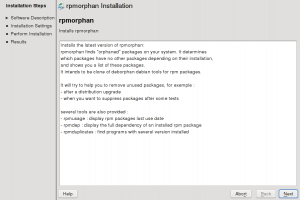
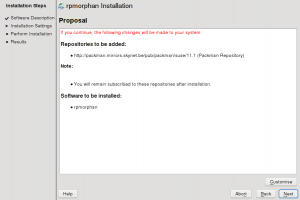
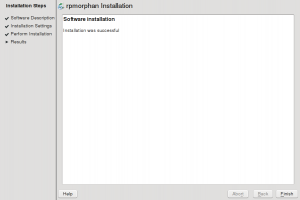
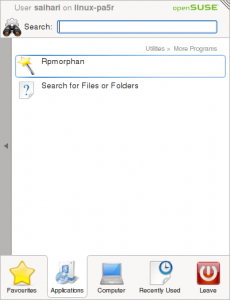
This should install rpmorphan under “Applications – Utilities – More Programs”. The command line utilities are installed under
/usr/bin/rpmorphan
/usr/bin/rpmusage
/usr/bin/rpmdep
When you launch rpmorphan, you will see a list of orphaned packages which you can select and choose to look into its info or delete the package from the system.
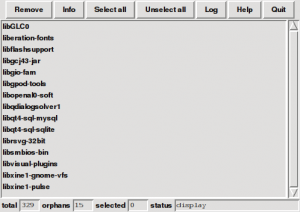
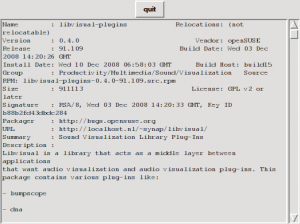

The command line utility rpmduplicates looks or programs installed with several versions.
saihari@opensuse11:/usr/bin> rpmduplicates
no duplicate found !
For more information and details on the project, click here to visit the project homepage.
Thanks. Very useful.
A package that has no packages depending on it doesn’t sound like an “orphan”. It sounds like a “leaf” package (from a family tree perspective).
What would you call a package that is not in any configured repository? That’s what I’d call an orphan.