Comix is a user-friendly, customizable image viewer. It is specifically designed to handle comic books, but also serves as a generic viewer. It reads images in ZIP, RAR or tar archives (also gzip or bzip2 compressed) as well as plain image files.
Some of the features include
Slideshow and different view modes like Fullscreen, Double page, Manga mode, Fit-to-screen, fit width and fit height modes etc
Zooming, scrolling, Rotatiting, mirroring
Magnifying lens, image enhancements and changeable image scaling quality.
Can read right-to-left to fit manga etc.
Faster page flipping using caching.
Bookmarks support.
Customizable GUI with library support and thumbnail browser
Archive comments and archive convert support
Available in 21 different languages.
Reads most common image formats.
Reads ZIP and tar archives natively, and RAR archives through the unrar program
Install Comix
Click this  1-click installer for Comix from Packman to download the YaST MetaPackage file (YMP) and launch with YaST Package Manager. This 1-click installer supports openSUSE 11.0/10.3/10.2
NOTE: Click here to enable 1-click install in openSUSE 10.2


click Next on the window showing the Comix application description and the Next on the installation proposal window. This should start adding the required dependencies and Comix package itself. Click Finish when the installation successfully completes.
This should install Comix under “Applications – Graphics – Viewer“. Click Comix to launch the viewer.

You can see the simple but elegant GUI for COMIX nicely built to support comic books. It also supports Comic libraries to hold as many of your Comic books in most of the image and compressed Zip or TAR formats.
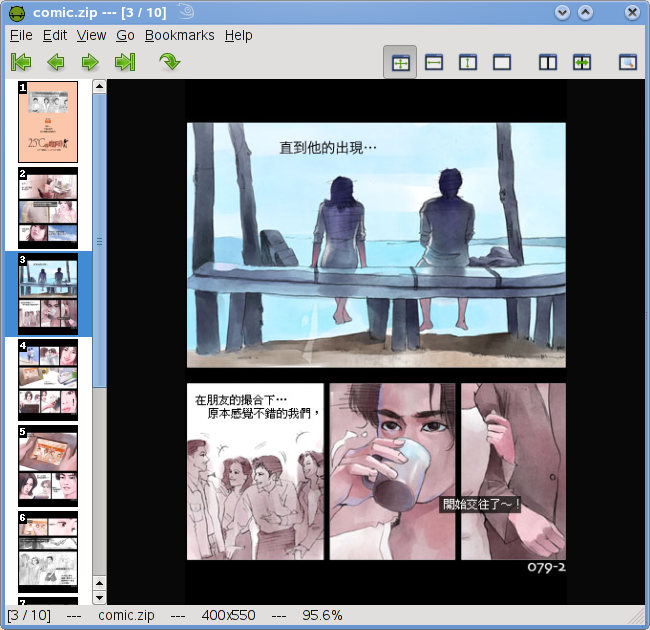

Comix is also good enough to view ordinary images as well. In way presents itself a good viewer for your personal pictures with ease of navigation which is important on any Comic book viewer.

Preferences and settings can be edited from Edit – preferences window.

I managed to find a few comics book at esnip.
Click here to visit the project homepage.
I found your blog on google and read a few of your other posts. I just added you to my Google News Reader. Keep up the good work. Look forward to reading more from you in the future.