Epiphany is the free opensource web browser for the GNOME desktop. Its goal is to be simple and easy to use. Epiphany ties together many GNOME components in order to let you focus on the Web content, instead of the browser application. Epiphany displays webpages with the same speed and accuracy as other popular browsers, such as Safari or Firefox. In addition, it provides an elegant, responsive and uncomplicated user interface that fits in perfectly with GNOME, and it has been translated to over sixty languages!
While this is a browser for GNOME should work on KDE as well.
To install epiphany in openSUSE,
From KMenu – Computer, click Install Software. Enter root password when prompted. This should launch the Yast Package Manager.
Set the Filter as Search and search for epiphany.
From the list, select Epiphany. This will automatically select the required addons and dependency packages. Click Accept to install epiphany browser.

Alternatively, from the command line install as follows:
opensuse11:~ # yast2 -i epiphany
Once installed, this should be under applications. However, in KDE you need to search from KMenu for epiphany to start the browser.
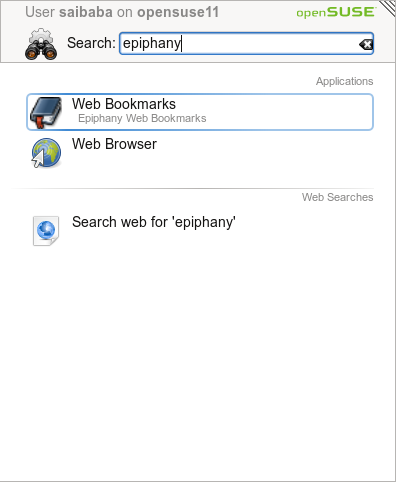
Or start from the terminal window as follows
opensuse:~ # epiphany &
To edit settings preference, click Edit – Preferences.

To add extensions like Adblocker, click Tools – Extensions

Simple and easy to use browser!!!
2 Comments